Helium
First encode the command according to How to to encode downlink messages for reconfiguration?. Copy Base64-encoded command for the later step.
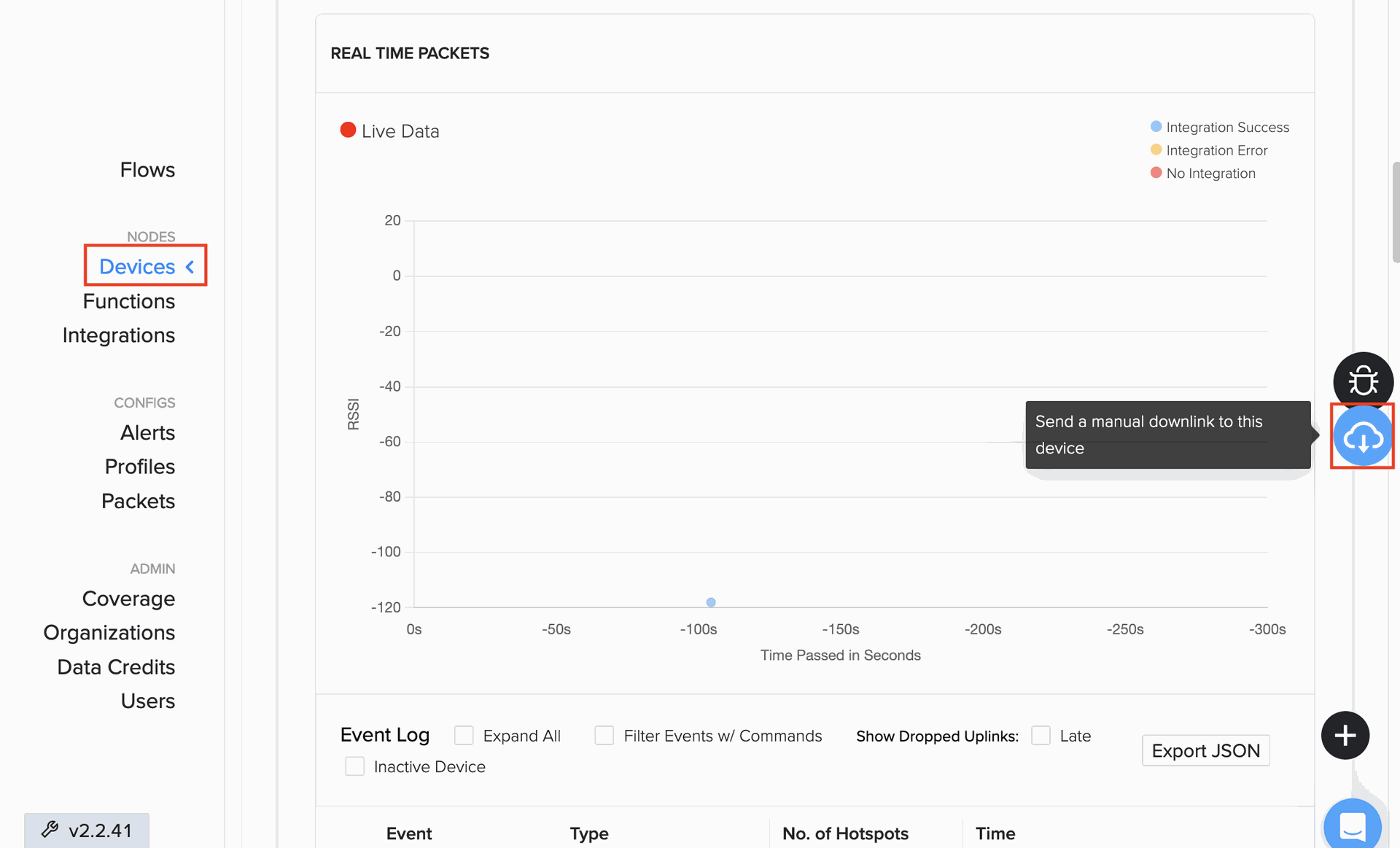
Go to Devices and select the target device in Helium console. Click the highlighted button on the right for the Add Downlink Payload dialog.
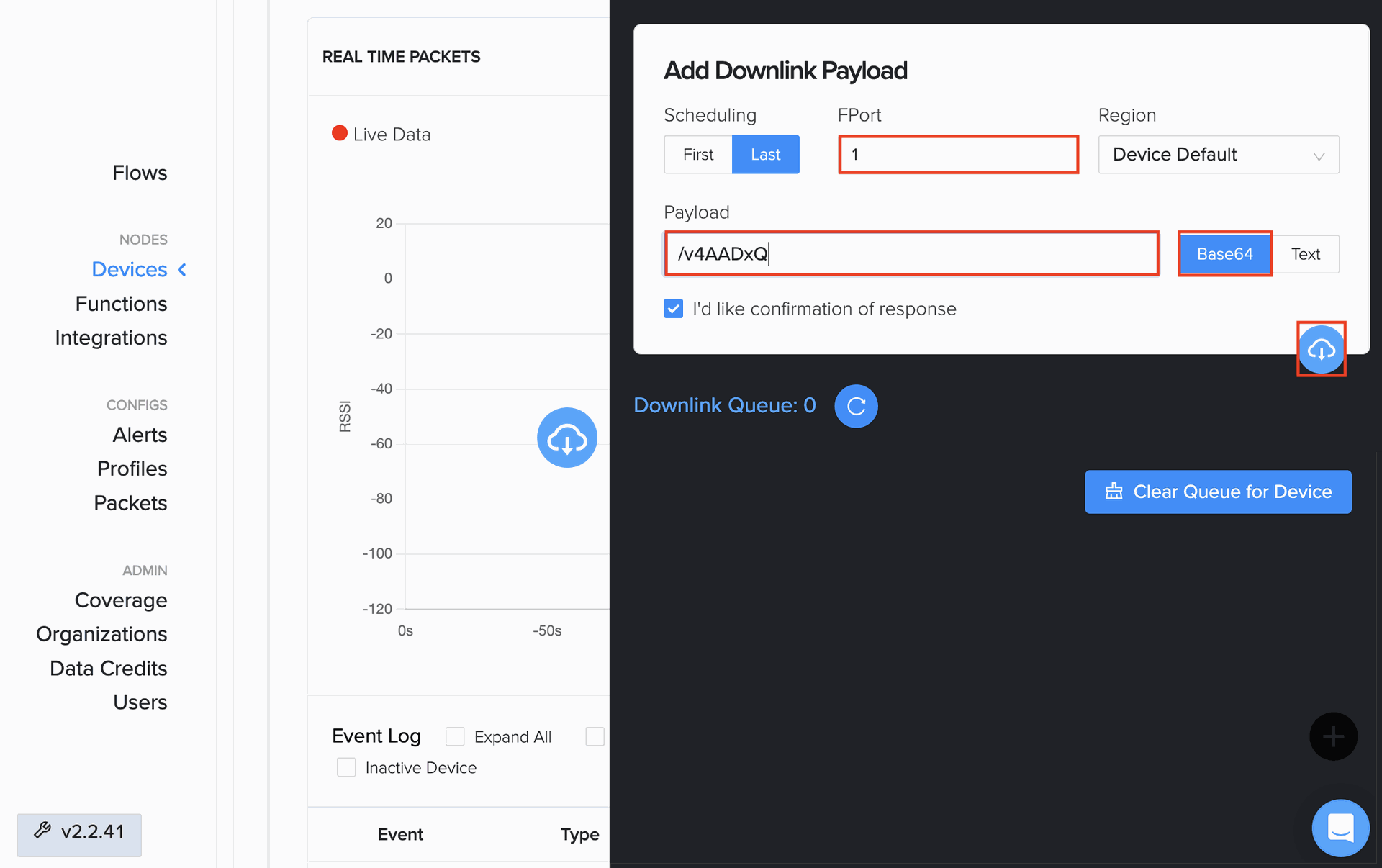
Enter 1 into FPort and the copied payload into Payload. You can adjust Scheduling and confirmation of response according to your need. Click the highlighted button to schedule the downlink command.