Registering device in Chirpstack
Chirpstack requires a device profile for the registered devices. Depending on your use case, you may need multiple profiles for different device types and regions. The following section describes how to create a device profile for Decentlab devices.
Creating a device profile
Go to Device Profiles and click Add device profile.
In the General tab, fill in the values according to your region from the following list.
Click on the Submit button.
Creating a device
Go to Applications in the side menu and select your application.
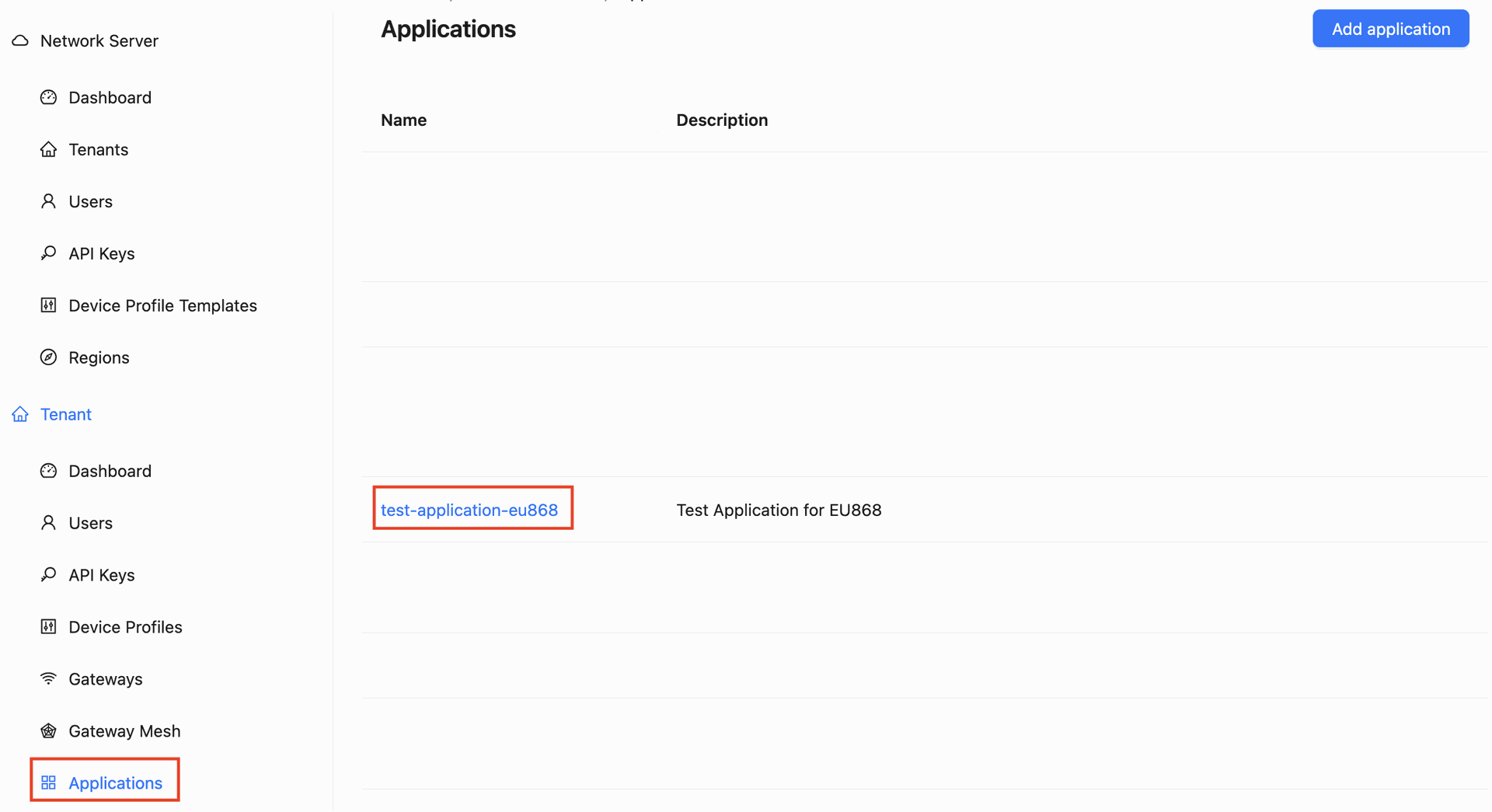
Click on Add device.
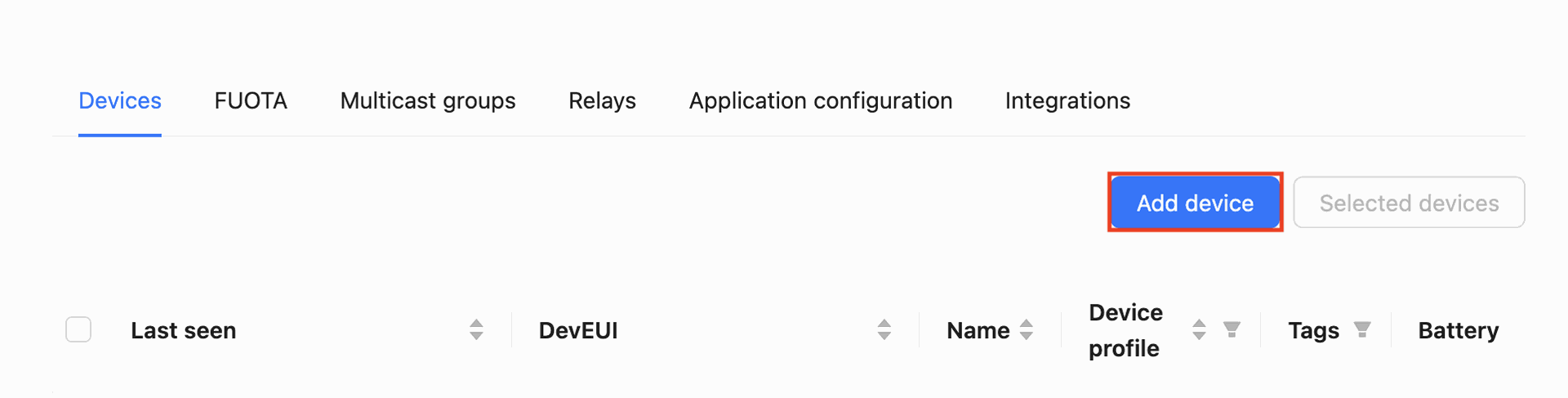
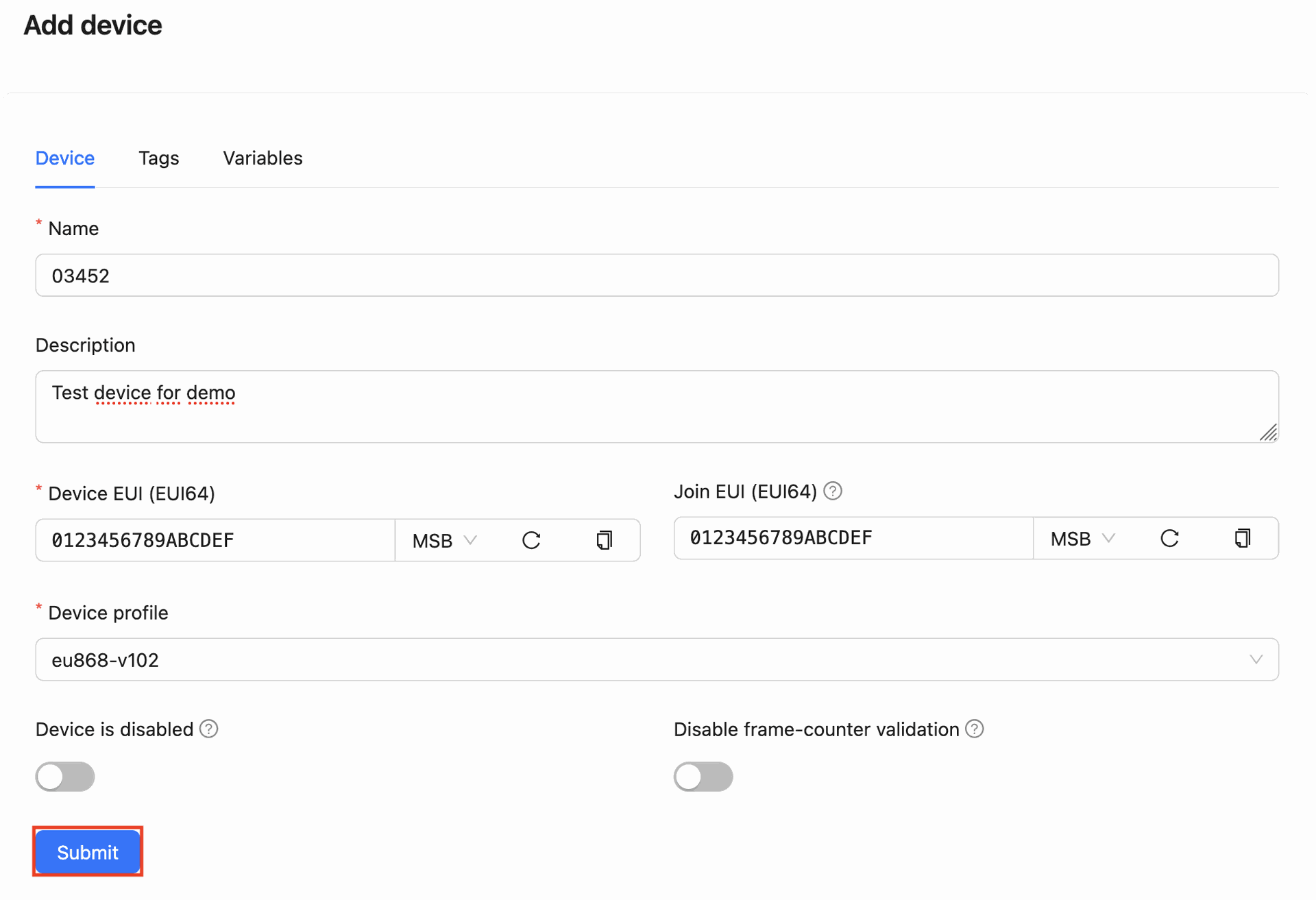
Fill in the values as shown below.
- Make sure the device profile matches your device type.
- For Device EUI, use the DevEUI value received from us.
- It is usually convenient to use the device number on the enclosure as Device name.
Click on Submit.
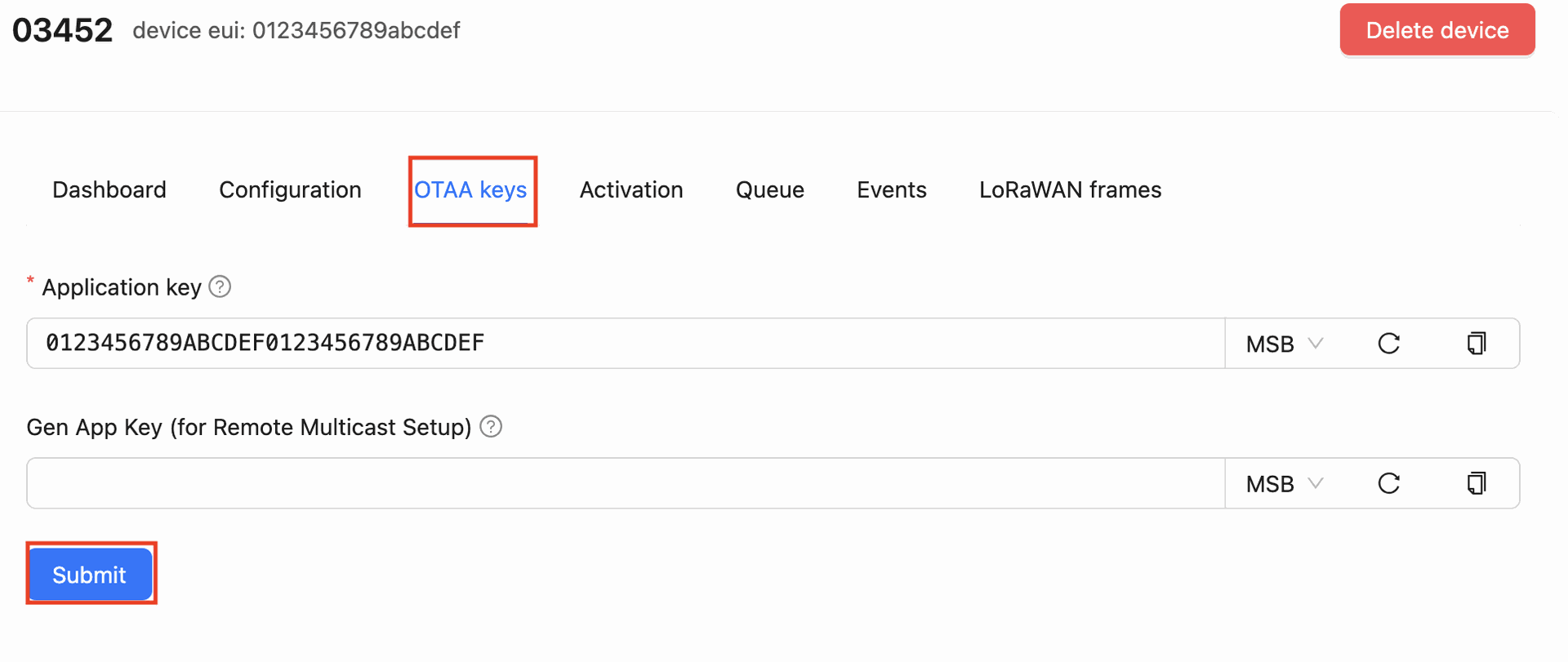
Set the AppKey value received from us as below. Click Submit.
The device has been registered.